Buying guide
Extension Lead With USB Sockets: Do You Need One? (UK Guide)
What a USB extension lead is, who actually needs one, what 5V/2.1A really charges — and what to check before you buy.
Quick answer
A USB extension lead gives you ordinary mains sockets and built-in USB charging ports in one strip. You need one if several small devices — phones, tablets, earbuds, lamps — charge in the same spot every day: it ends the fight over wall sockets and clears away the pile of chunky charging plugs. If your devices are all fast-charge laptops and nothing else, stick to a normal switched lead.
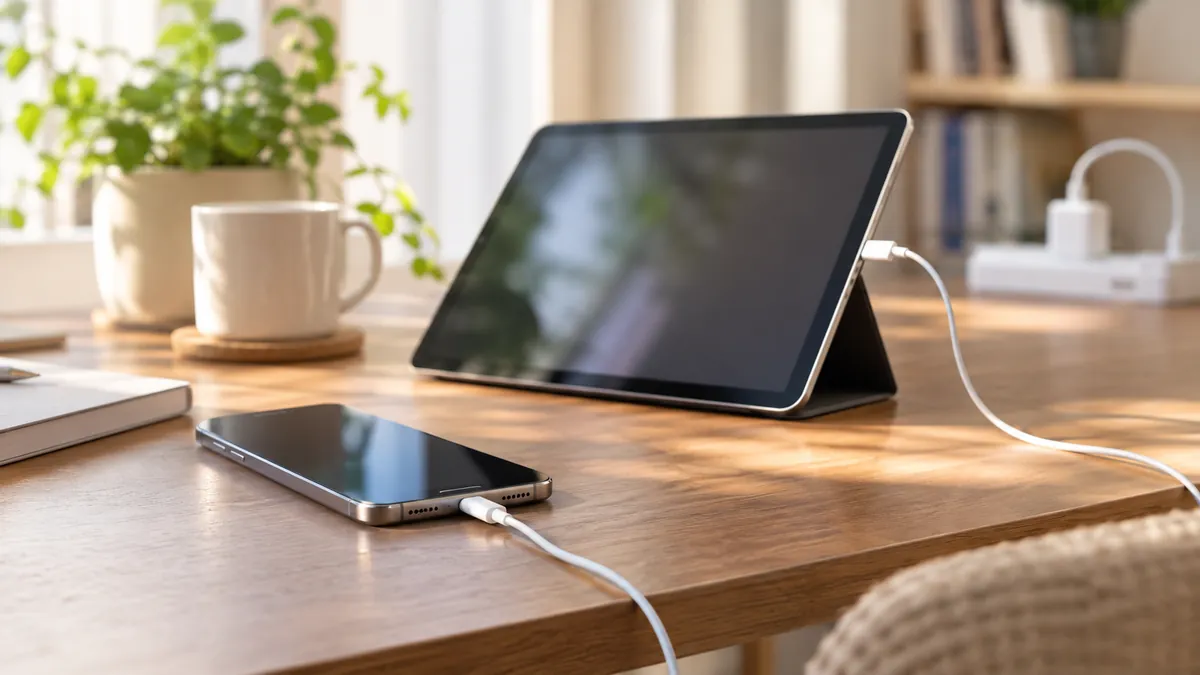
What is a USB extension lead?
A USB extension lead is a standard UK extension lead — BS 1363 three-pin sockets on a cable with a fused plug — with USB ports built into the strip itself. You plug one lead into the wall, and you get both mains sockets and USB charging points in the same place.
The model we'll look at below has four individually switched 3-pin sockets plus two USB-A ports sharing a 5V/2.1A output — a typical layout for bedside and desk use.
Who actually needs one?
At the bedside. Phone charging overnight, a lamp on, an e-book going. A USB lead on the nightstand means the charging cable actually reaches the bed — no more dangling leads off a wall socket or hunting for a lost charging plug.

At the desk. Phones, tablets, keyboard lights and headphones are all low-power USB devices. A USB extension lead keeps them charged and clears the chunky wall-wart chargers off your socket faceplates.
In the kitchen and living room. Smart scales, kitchen timers, TV ambient-light strips, charging docks — all the rarely-charged-but-always-needed devices that don't deserve their own wall charger.
What does 5V/2.1A actually mean for charging speed?
Honest answer: standard charging speed, not fast charging.
- A 5V/2.1A output charges a phone from empty to full in roughly 2–3 hours — perfect for overnight or topping up at your desk.
- The 2.1A is shared between the two USB ports. Charge two devices at once and each gets around 1A — slower, but fine while you sleep.
- Laptops and fast-charge phones need USB-C Power Delivery (18W+), which USB-A ports on extension leads don't provide. Plug those into the mains sockets with their own chargers instead.
Think of the USB ports as "always-ready slots for small devices" — not a replacement for a fast charger.
What to check before you buy
- USB total output. 2.1A minimum for one or two ports; more ports should mean more total output.
- Individually switched sockets. Each socket gets its own switch, so devices you're not using are truly off — no standby drain. See why individual switches save money ›
- A proper 13A fused plug. The fuse in a BS 1363 plug is the first line of defence. Here's what it does ›
- Real certification marks. UKCA/CE marking on the product — ideally from a lab you can verify, not just printed on the box.
- Cable length that actually reaches where you'll put it.
Safety notes
- The 5V USB output is low-voltage and safe to touch — the real risk with cheap unbranded leads is the mains side, not the USB side.
- Don't chain extension leads together, and keep the total load within the lead's rating. How overloading actually happens › · Wattage guide ›
- If the strip ever feels hot, smells odd, or a USB port stops working — stop using it.
A closer look: the PARTH 4-way with 2 USB ports
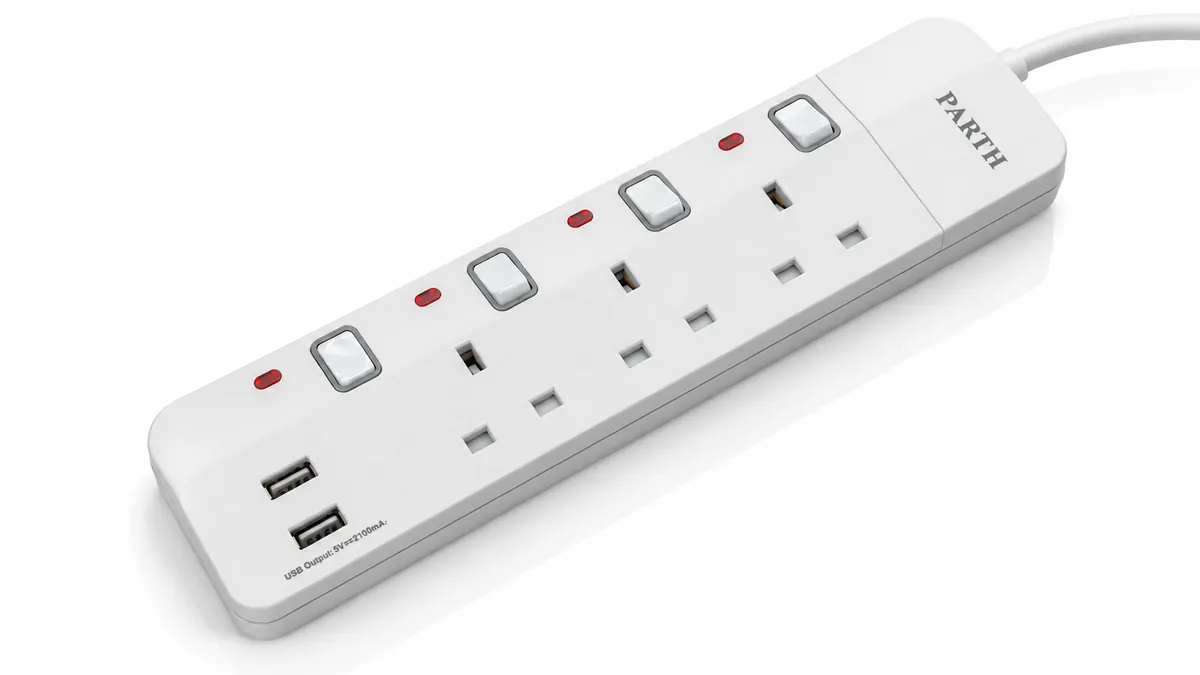
The PARTH extension lead we use as an example has four UK sockets, each with its own illuminated switch, plus two USB-A ports (5V/2.1A shared) at the end of the strip — a layout that suits a bedside table or desk corner especially well, where two or three devices charge all day and the switched sockets handle the lamp and everything else.
Like every PARTH lead, it's built to BS 1363 and tested by Intertek (report no. 22050477HKG-001), with UKCA and CE certification. See the certificates ›
The 4-way USB model is coming to the shop shortly.
Same standard on every PARTH lead.
Whatever you plug in, four features do the quiet work:
Safety shutters
Child-resistant shutters guard every outlet, so curious fingers, dust and stray paperclips stay on the outside.
Overload protection
Misjudged the load? Overload protection cuts the power before anything gets stressed.
Individual switches
One switch per outlet — turn a single device off without unplugging, or take the whole board dark in one tap.
LED indicators
A light per switch shows which outlets are live at a glance.
Questions
Common questions.
Do the USB ports charge as fast as a normal plug charger?
They deliver standard 5V charging — around 2–3 hours for a phone. Fast-charging phones need a USB-C PD charger, which you'd plug into the mains sockets instead.
Can I charge a laptop from the USB ports?
No — laptops need USB-C Power Delivery, which USB-A ports on extension leads don't provide. Use a mains socket with your laptop's own charger.
Do the USB ports use electricity when nothing is plugged in?
A tiny amount, but not zero. Flip the individual switches (or unplug the lead) and it's truly zero.
Are USB extension leads safe to leave plugged in?
A certified lead with a 13A fused plug is designed for exactly that. The risk sits with uncertified, unbranded products — buy on certification, not price.